

What is Split Tunneling? 5 Powerful Ways to Work Smarter with PandaVPN
 Sharon
  2026.04.15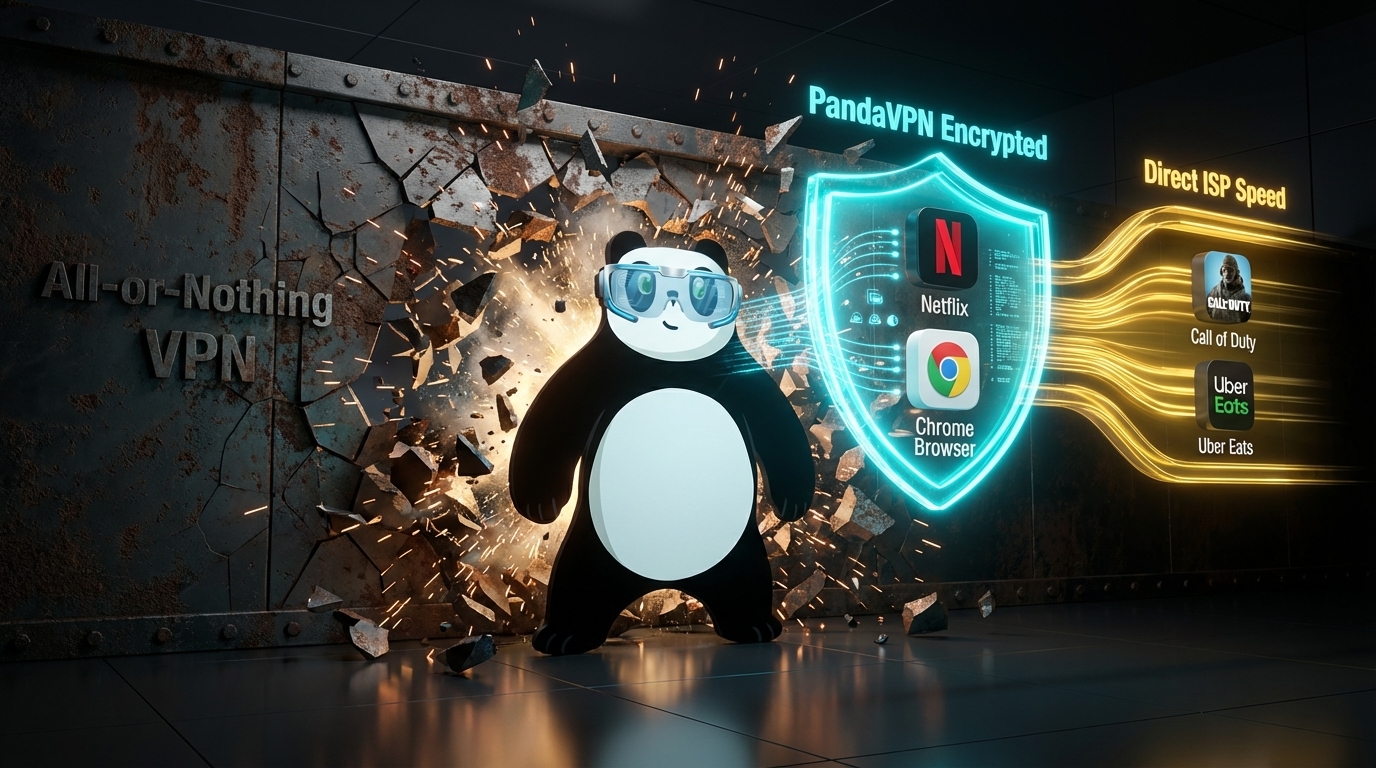
Most people think using a VPN means choosing between full protection or full speed—but not both. In reality, that “all-or-nothing” approach is outdated and inefficient for modern digital life.
Split Tunneling changes the game.
With PandaVPN, you gain precise control over your internet traffic—deciding exactly which apps use the VPN and which connect directly to your local network. The result? Better performance, fewer interruptions, and smarter privacy.

What is Split Tunneling?
Split Tunneling is a feature that allows your device to send different types of traffic through separate routes at the same time:
- 🔐 Encrypted VPN Tunnel
Routes sensitive activities (banking, browsing, work tools) through PandaVPN’s high-security encrypted servers. - ⚡ Direct Internet Access
Sends non-sensitive or location-dependent traffic (local apps, streaming, printing) through your regular ISP for maximum speed and compatibility.
Instead of constantly turning your VPN on and off, you stay connected—your way.
5 High-Impact Use Cases to Boost Your Efficiency
1. Stream Globally While Staying Local
Want to watch Netflix US while ordering food from your local delivery app?
With PandaVPN Split Tunneling:
- Your browser connects through a US VPN server
- Your delivery app stays on your real location
👉 No more region errors. No more switching connections.
2. Lag-Free Gaming + Protected Browsing
Gamers know that even a slight delay can cost the match.
Split Tunneling lets you:
- Route games like Valorant or League of Legends through your direct ISP (lower ping)
- Keep your browser protected through PandaVPN
👉 Enjoy zero lag gameplay + DDoS/IP protection at the same time
3. Access Local Devices Without Disconnecting
Traditional VPNs block access to local networks—but PandaVPN doesn’t.
With Split Tunneling, you can:
- Print documents
- Access NAS drives
- Use smart home devices
👉 All while your browsing or downloads stay encrypted
4. Optimize Bandwidth for Heavy Tasks
Large downloads can kill your connection speed—especially during meetings or calls.
PandaVPN lets you:
- Route P2P or large downloads through high-speed dedicated lines (IPLC)
- Keep Zoom, Slack, or browsing on your normal network
👉 Smooth multitasking without network congestion
5. Bypass VPN Restrictions on Sensitive Apps
Some apps (banking, corporate tools) block VPN usage.
Instead of turning off your VPN entirely:
- Whitelist specific apps to bypass the tunnel
- Keep everything else encrypted and privat
👉 Stay secure without losing access
Why PandaVPN Split Tunneling Stands Out
Not all Split Tunneling features are created equal. PandaVPN is engineered for real-world performance and simplicity:
✔ App-Level Control (No Tech Skills Needed)
Select apps from a clean interface—no manual routing or configuration.
✔ Zero-Speed Compromise
Powered by PandaVPN’s proprietary acceleration and IPLC dedicated lines, ensuring stable performance even with split traffic.
✔ Smart Routing Engine
Automatically optimizes traffic paths for speed, stability, and security.
✔ Cross-Platform Experience
Available on Windows, macOS, and Android with consistent, seamless control.
Take Full Control of Your Internet
Why choose between privacy and convenience when you can have both?
With PandaVPN Split Tunneling, you:
- Eliminate constant VPN switching
- Improve speed where it matters
- Stay protected where it counts
👉 Upgrade your VPN experience. Work smarter, browse safer, and connect faster with PandaVPN.

Related Posts

Featured Posts