

Web Content Filter(ing): What Is It? How It Works? Is It Possible to Bypass the Blocks?
 Vic Knott
  2022.03.21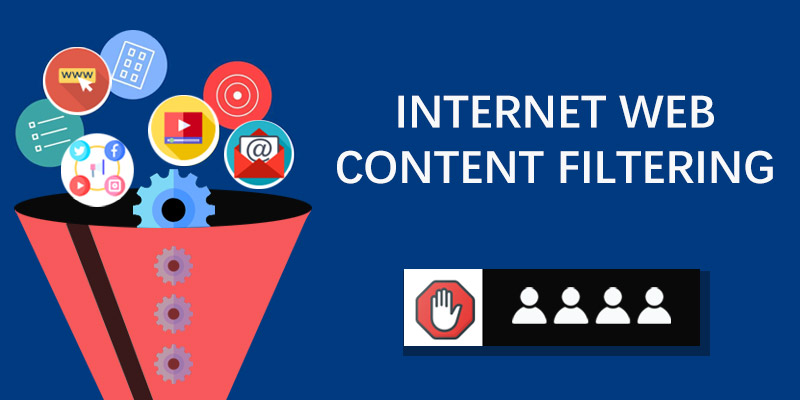
In this digital age, all parties are trying to control what the Internet users can & cannot see via the Internet filter software while the people involved are still looking for workarounds to bypass the content filtering.
The Internet was primarily quite open, but with its continuous revolution and the growing popularity on the earth, more governments started to use Internet censorship to limit domestic citizens’ web access, by authorities or the Internet Service Providers/ISPs. This kind of censorship also occurs in many other places similarly to help people achieve various goals, such as employers leverage the content filter to have employees stay focused on work and increase the efficiency, schools and libraries install Internet filtering software to stop students and visitors from visiting improper or harmful materials, parents adopt dedicated parental control apps to narrow down what their children are able to enter into and how long the screen time lasts for a better habit, even a portion of individuals do deploy the web filter for themselves to help fight with content addictions.
Then what’s Internet content filtering? How do different web filtering measures happen? For common customers, how to implement content filters to the target users or how to get around the websites/apps blocking & filtering? Do keep reading, this post will go over all of them thoroughly.

1. Definition of Internet Content Filter / Filtering
Since there are multiple different items regarding content filtering, let’s represent them one by one first.
The Internet filter is a generic term that refers to software aiming to help people take control of Internet users’ access to websites, web-based applications, email, and so forth.
Content filtering usually means the process to manage and screen certain websites or emails off, mainly for keep users away from risky, harmful, illegal or inappropriate content. That said, it’s somewhat similar with Internet filtering.
In short, “xx filter” often indicates the tool to conduct specific filtering while “xx filtering“ is the way how that tool works.
2. How Different Internet Filters Work to Make Content Filtering Happen?
Specifically, there are multiple types of Internet filtering (& software) according to the filtering target and different Classification standards, for example:
– Web filtering to screen websites only via Web or URL filter.
– Emailing filtering to screen email through the email filter.
– Executable filtering to stop certain executable files.
– DNS Filter to block unwanted content on the DNS side.
– Browser filter to work within a browser app.
– Server-based filters check and perform content filtering in server side.
– Client-based filters need to be installed on device like an independent app to take further management.
– Search engine filters are those designed directly by the SE service provider and embedded in the search engine, e.g. the Google’s SafeSearch Filters. When it’s turned on, explicit content like pornography and alike will be remove from search results.
…
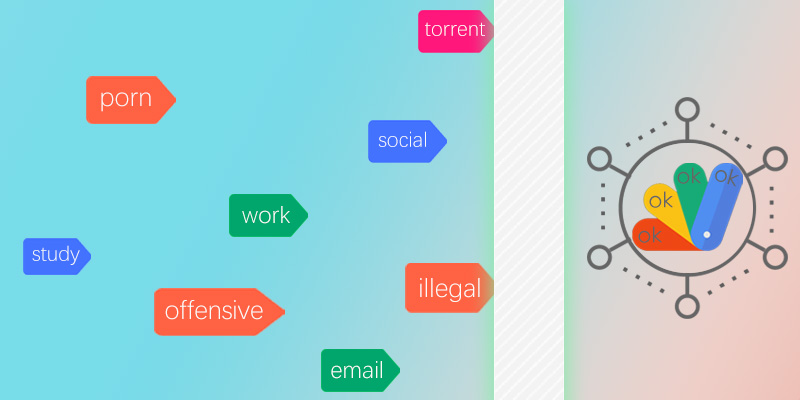
As mentioned above, there are different kinds of Internet filter programs. Now some technical details are shared to let the newbies understand how content filtering is done in varying ways.
• A website can be filtered and banned for further access by adding its URL to the blacklisting/block list, excluding it in the whitelisting/allowed list, or setting the category (e.g pornography, streaming, torrent, eCommerce, social media, and any illegal one) as target content for filtering.
• The mechanisms within content filters are able to make the filtering goal as any specific phrases, words, applications, text strings, image objects, file types, (inbound) IP addresses/domains/DNS servers, etc.
• Software-, hardware- and also cloud-based content filtering solutions are offered now. Network administrators are able to set the filter up directly on the firewall/server/router side, download and install proper web filter service on the target device’s system, the browser, turn on the filter function on the search engine, use a cloud filtering system, or pay for a physical appliance to integrate it with network infrastructure for ruling the traffic. As to which is better, it depends on your web filtering demands and budget.
• If any single content filtering approach doesn’t meet one’s requirement, people usually combine two or more ways to achieve a desirable web filtering effect.
3. Is Web Content Filtering Necessary?
Surely it is.
As a matter of fact, content filtering is just a part of modern internet censorship. Although it limits certain people’s online actions to a large degree, especially in heavily-censored countries and public network environments like libraries, schools, and corporations, we have to admit its critical importance for either cybersecurity or web behavior regulation purposes.
If the authorities or network administrators don’t take action on web access and just let it be as it’s, we can’t even imagine how many smart devices would be infected with harmful extra, how many data breaches would come out, how many netizens and teenagers would become the victims of inappropriate, immoral, offensive and even criminal content.
Beyond that, a decent internet filter can greatly help employees and children to form a good working or web browsing habit and improve working/learning productivity. From the bandwidth management point of view, when there are too many streaming and other big file download requests in a corporate network, it must influence the connection speed of many workers for normal web usage.
4. How to Securely Access Needed Information and Maintain Digital Privacy?
When dealing with strict network restrictions or content filtering in various environments, users often look for reliable ways to maintain open access while safeguarding their online privacy. If you need to ensure secure data transmission and bypass unnecessary network barriers without violating local organizational policies or regulations, several standard technical methods are commonly utilized:
✓ Leverage a Reliable VPN: Direct your traffic through a secure, encrypted server to protect your data integrity and maintain privacy during browsing [RECOMMENDED].
✓ Use a Proxy Server: Access specific resources through an alternative IP address (note that traffic encryption may not be applied).
✓ Employ an Encrypted SSH Tunnel: Establish a secure SOCKS proxy layer for technical data routing.
✓ Ensure Secure Protocols: Upgrade connections from standard HTTP to encrypted HTTPS.
✓ Utilize Alternative DNS Resolvers: Configure trusted DNS services like Public DNS for stable name resolution.
✓ Access via Privacy-Focused Browsers: Use dedicated secure browsers like Tor private browser for enhanced anonymity.
Taking PandaVPN as an Example for Secure Connection Management
For users seeking a straightforward, high-speed solution to protect their network traffic and manage connection locations safely, PandaVPN provides a streamlined approach across mainstream computer and mobile platforms.
STEP 1. Download and install the official client, then sign in securely using your account credentials.STEP 2. Launch the application whenever you require encrypted data transmission or secure network routing.STEP 3. Choose an optimal server location from the list and connect with a single click.
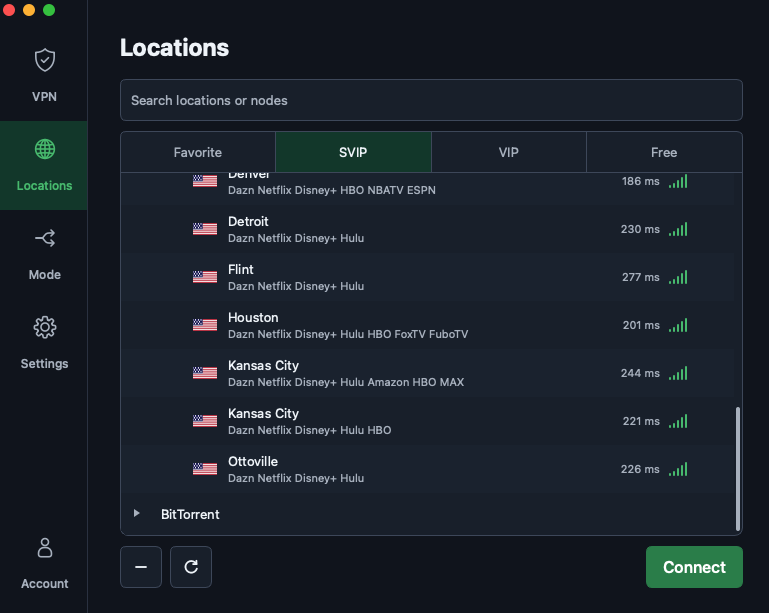
Note: Due to the additional data encryption layer, VPN connection speeds may vary depending on network conditions. Selecting a server geographically close to your location is recommended for optimal performance. If you encounter connectivity adjustments, PandaVPN offers dedicated server modes optimized for specific connection requirements.
Read more: How to Bypass Geo-blocking, 15 Most & Least Censored Countries Worldwide

A senior tech editor whose focus is diving into everything related to cybersecurity.
Related Posts


Featured Posts